Is your baby appearing bald in Second Life even though they're wearing a hairbase? This is a common issue with an easy fix!
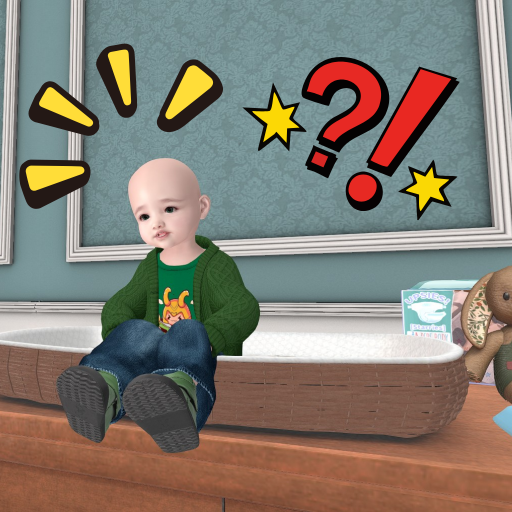
Baby avatars in Second Life (Lullabeebs, Bebe, Toddleedoo, & Tweeneedoos) use hairbase layers. Sometimes these hairbases get hidden behind other worn items due to attachment layer ordering.
Common causes:
The solution: Adjust the Outfit Layer Order to move the hairbase above other attachments.
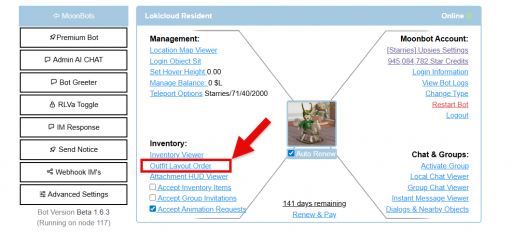
Step 1: Head to your baby’s dashboard on Moonbots.co
Click Outfit Layout Order
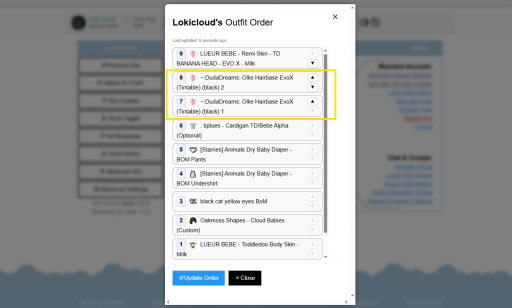
The current outfit layer order will pop up
Step 2: Locate the Hairbase
In the Outfit Layer Order list, you'll see all worn attachments.
Look for items labeled:
"Hairbase"
"Hair"
The specific name of your baby's hairbase
Step 3: Move Hair to the Top
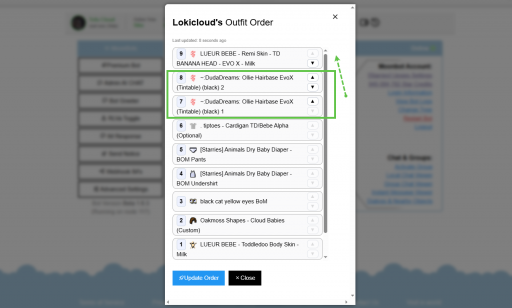
Click on the hairbase in the list
Look for up/down arrows or drag the item to reorder
Move the hair item to the top of the list or above the head skin
The higher in the list = rendered on top
Step 4: Apply to Your Bot
At the bottom, click the blue button that says “Update Order.”

Wait 20-30 seconds for changes to take effect
 MoonBots
 [Starries]